
Image Repository Redesign
TL;DR Summary
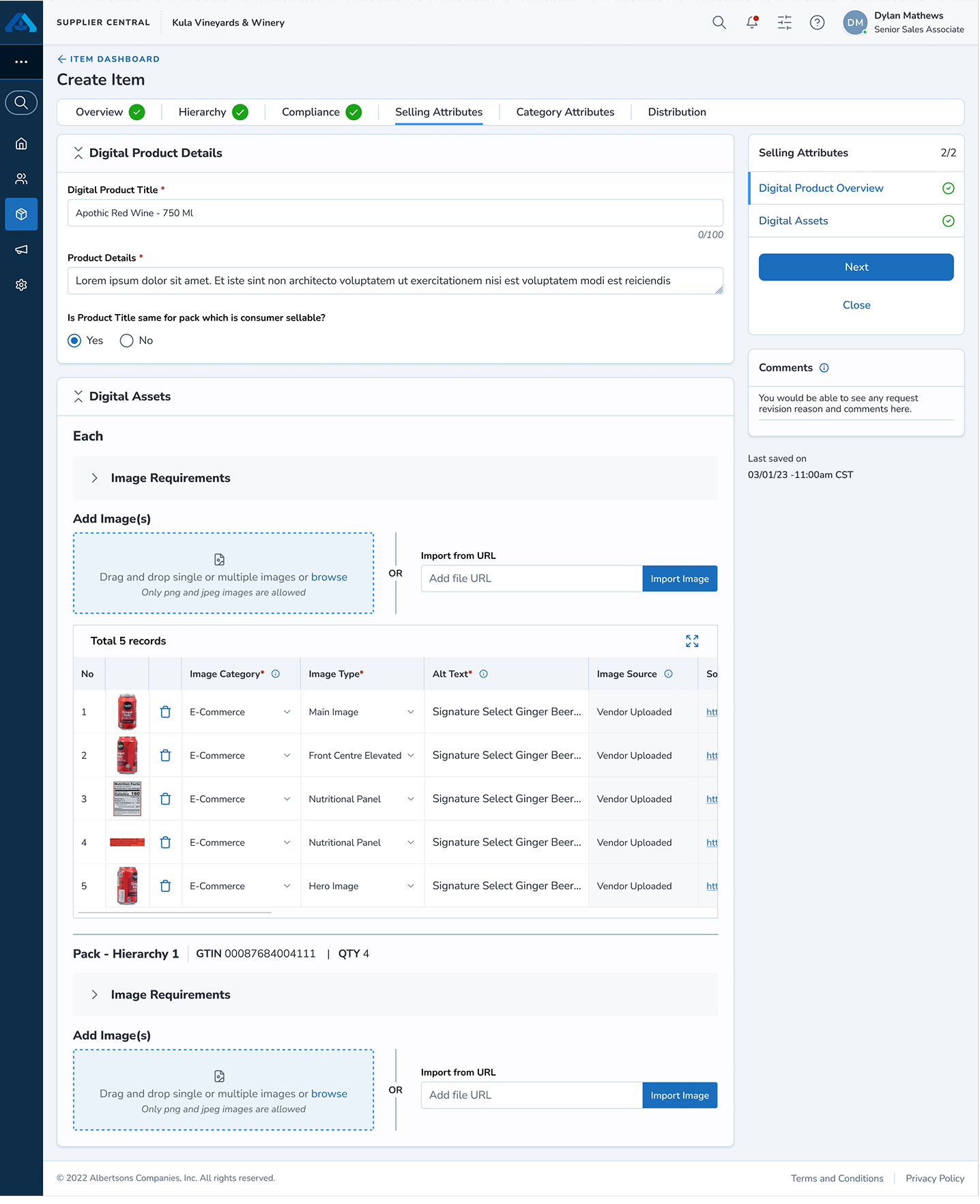
The image repository in the Albertsons Merchandising item-onboarding platform captures the item/product image assets along with the associated information required for publishing on omnichannel platforms and for item bookkeeping. This asset management section of the platform enables both merchandising and marketing teams to manage the image data with ease. It initially launched as an MVP, but after successful adoption by associates, this shared pattern paved the way for similar explorations in other sections of the product.
Note: This case study covers my 2-month contribution to the Image Repository module, one workstream within Albertsons' 11-month Item Onboarding platform redesign. Happy to walk through how this part connected to the broader initiative — please reach out anytime.
Result
The redesigned image repository closed a hidden gap and served two different business cases.
72%
Increase in user engagement
Measured via internal analytics, Q4 2025, against the pre-redesign repository baseline.
Problems
Before the redesign, the image repository captured product images and information based on each individual image of a product for every supply chain hierarchy (Each - Pack - Case - Pallet).
The previous design was primarily made for bookkeeping and could not be scaled for business needs.
User motivation for this feature was as low as 28%, leading users to abandon this process when setting up an item.
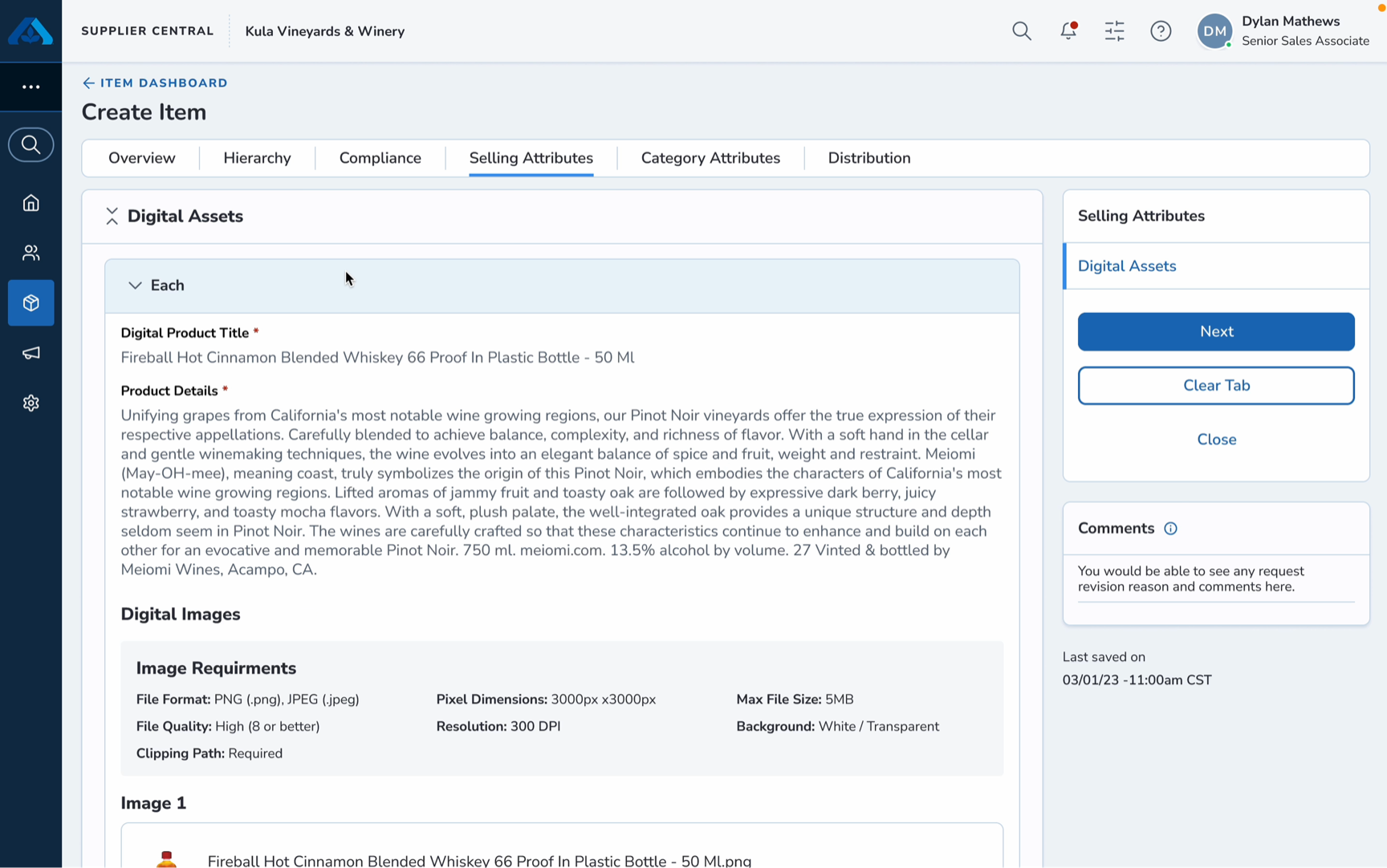
More images mean more vertical scrolling
When vendors try to add more images manually, the card component stretches downward, leading to vertical scrolling. Merchants faced the same issue when reviewing the item image details.
Disorienting image information
The image information tied to each hierarchy felt overwhelming when reviewing images present on the same card, blurring the distinction between the main content and the image type.
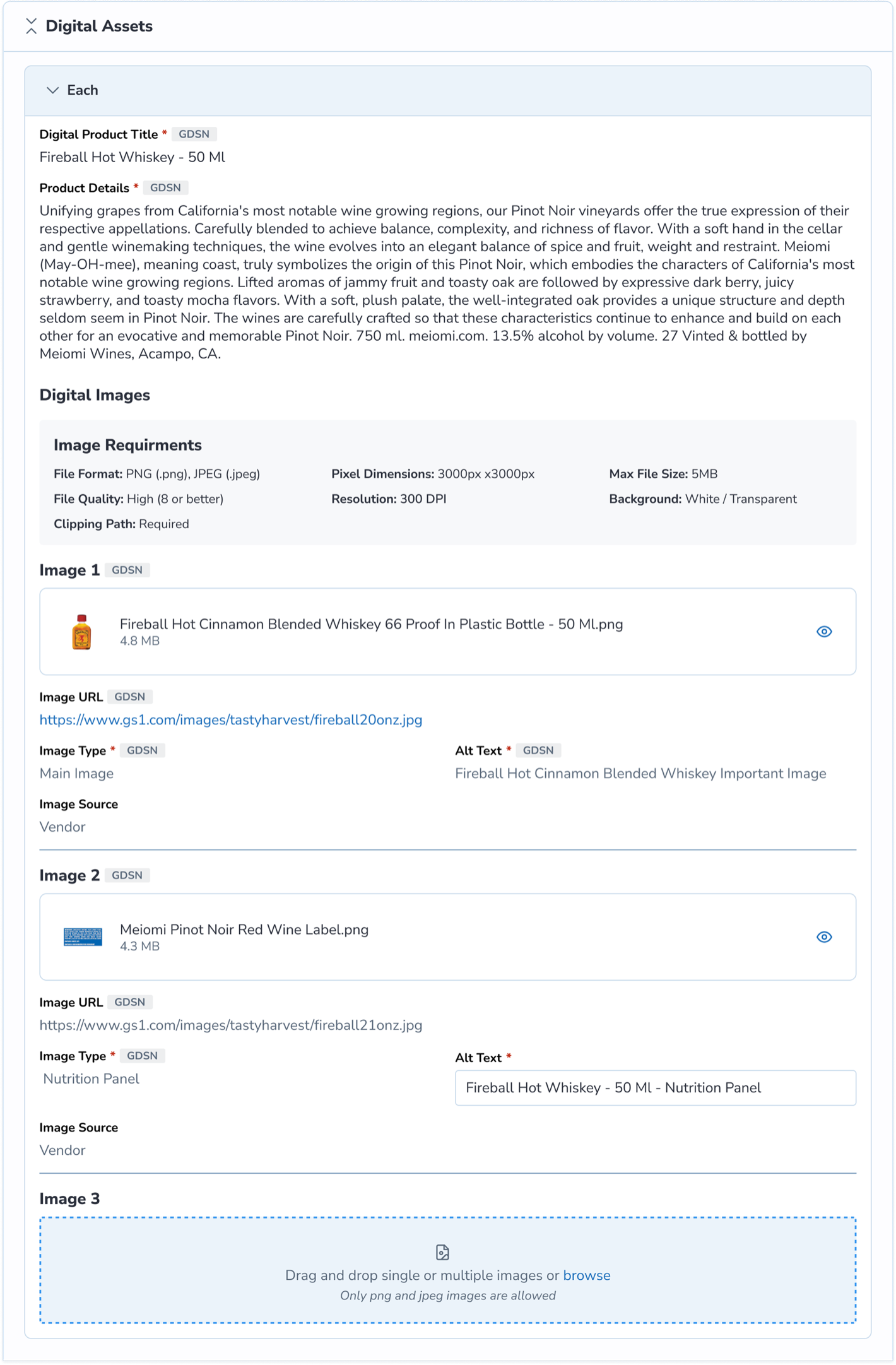
As a result, the merchandising team had inefficiencies in capturing item data.
Research
I studied how the product images are displayed across Albertsons e-commerce websites and identified a relatable pattern that could align with merchants and vendors.
- Images easy to identify — The product images can be seen easily through a gallery view.
- Separate portals to access images — The merchandising and marketing teams were communicating back and forth with vendors through different channels for image requirements.
- Viewing images across all platforms is consistent — The images on the mobile app, web app, and online commerce channels followed a consistent flow.
Through active listening, I drafted the elements required for the image repository redesign and aligned them with user goals and strategic business needs.
Design Solution
With the help of visual design hierarchy, I was able to create an experience that helps users perform the task intuitively and meets the business needs.
The new image repository design follows three principles:
- Scalability — Expand images across multiple channels.
- Glanceability — Represent images in a clear modular pattern for easy consumption.
- Progressive reduction — Breaking down the main component into smaller chunks.
Restructured Layout
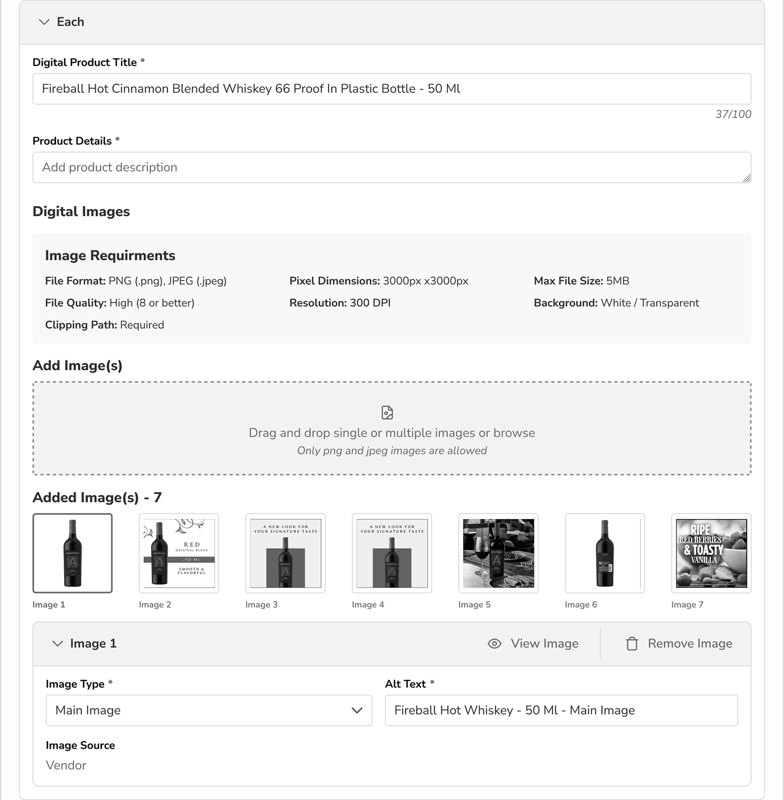
This decision is driven by two aspects: product details and image assets. This segmentation enables vendors to clearly add asset text information and assets separately.
Iterations
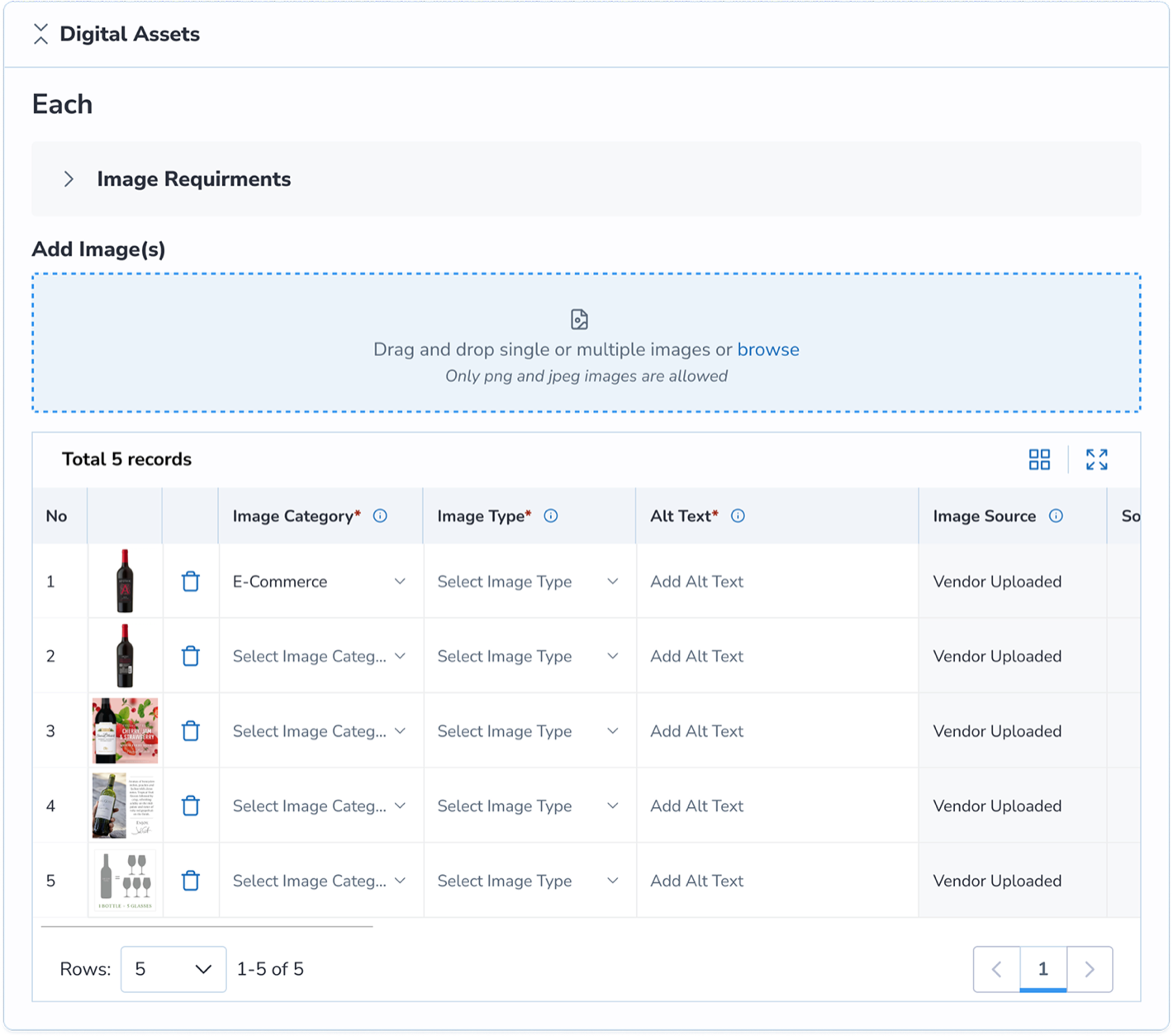
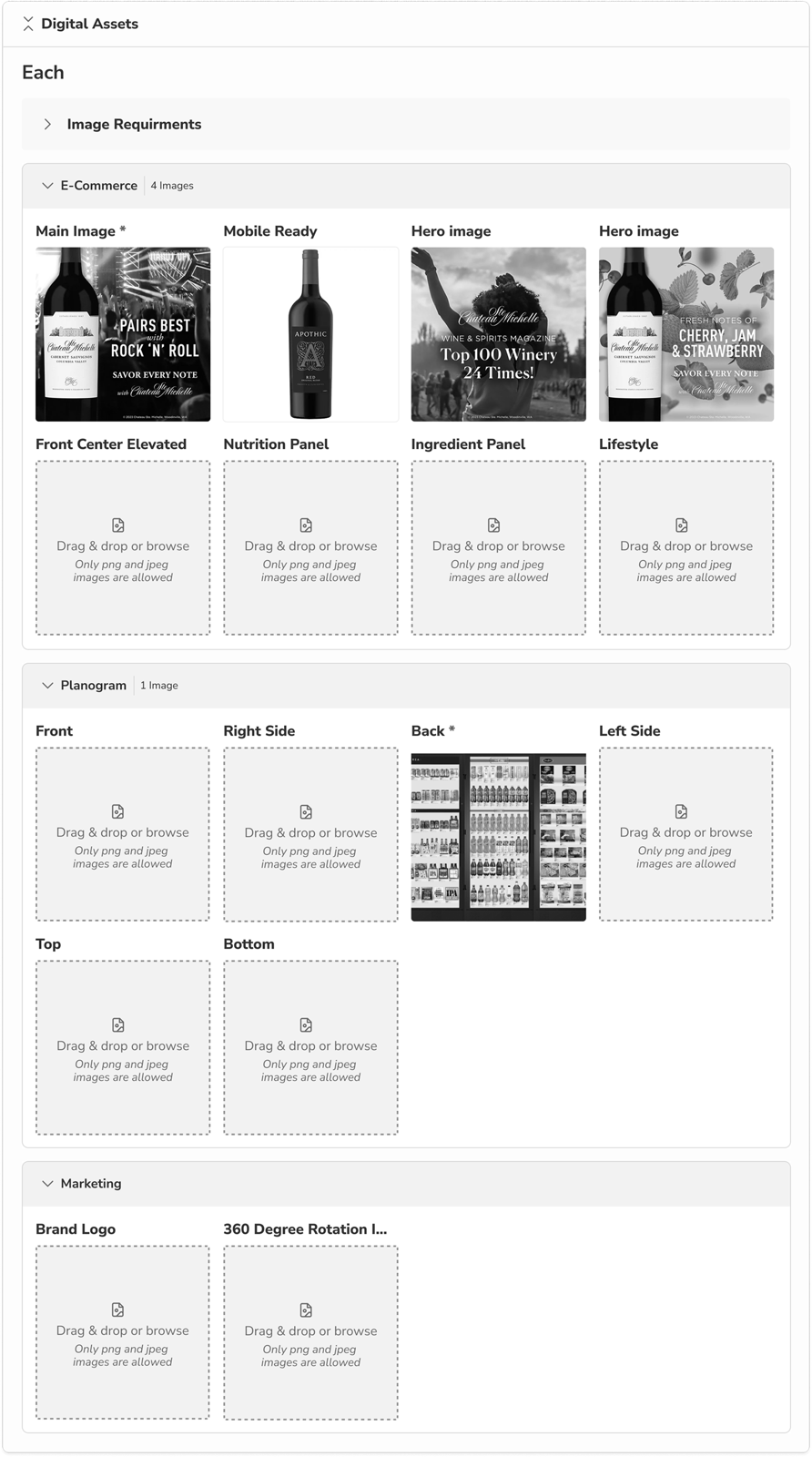
Final design
Component Segmentations
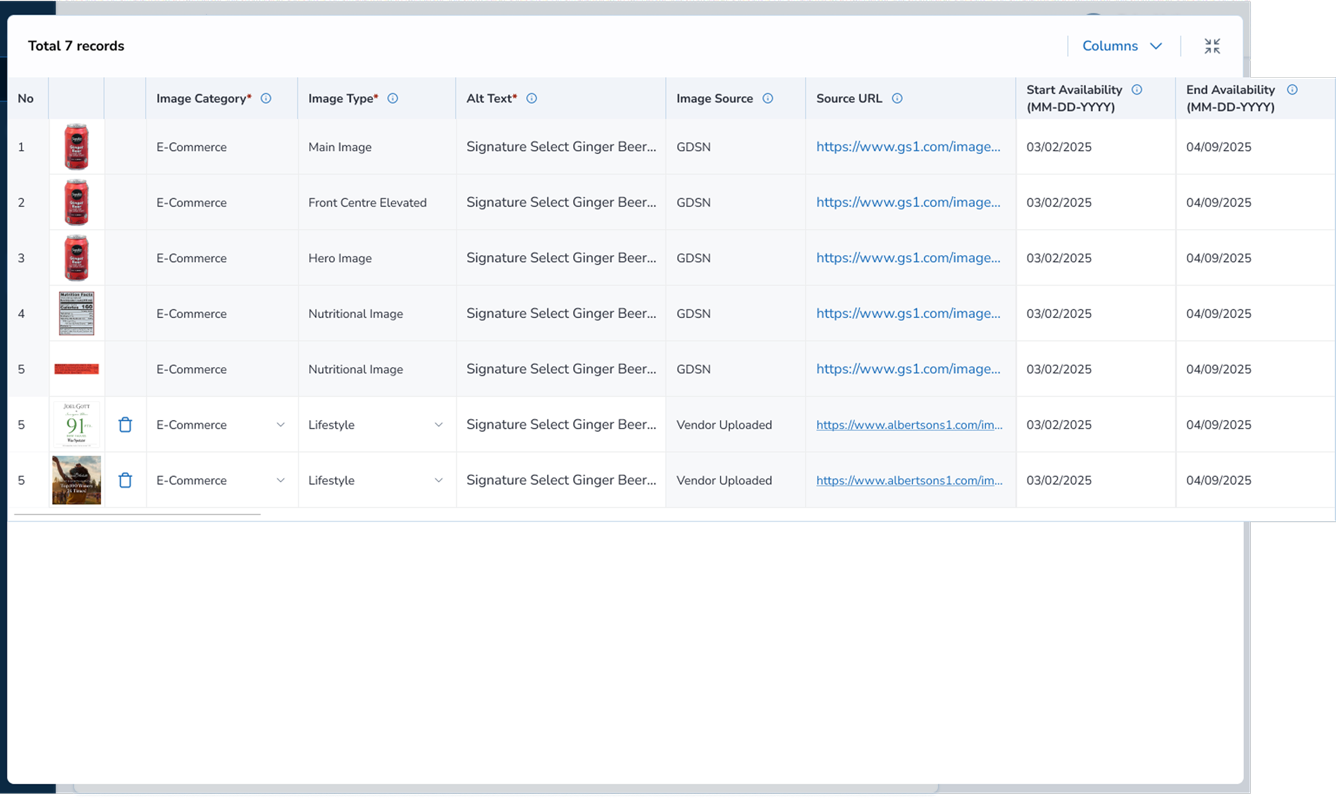
Scalable tables enabled vendors to categorize assets, add image type, and source which was widely accepted during user testing. Adding tables gave more asset visibility and accountability to vendors.
Product Detail Card
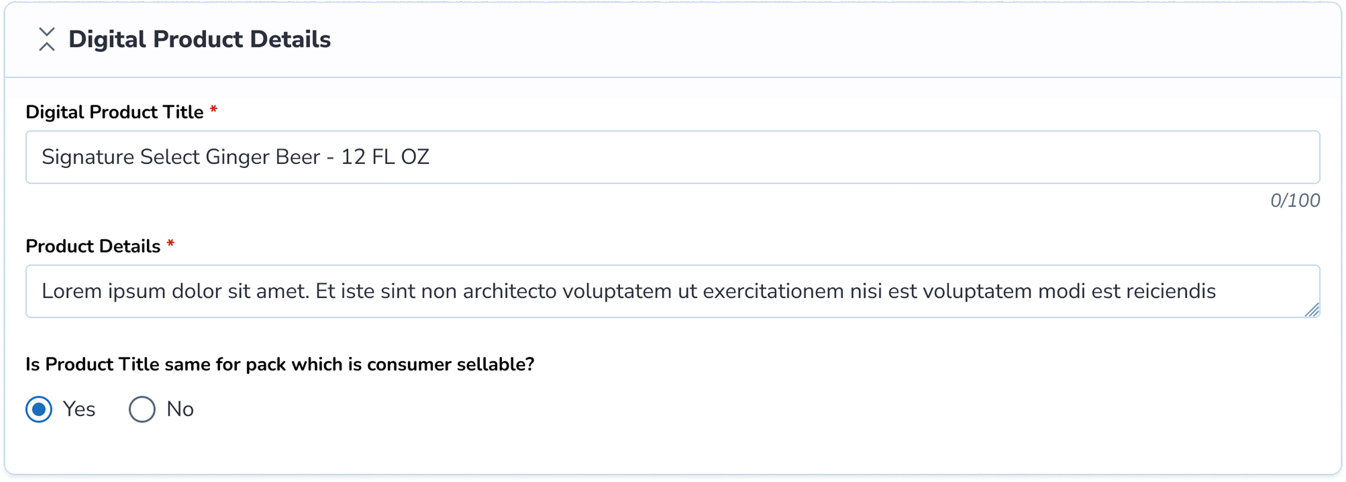
Image Asset Uploader
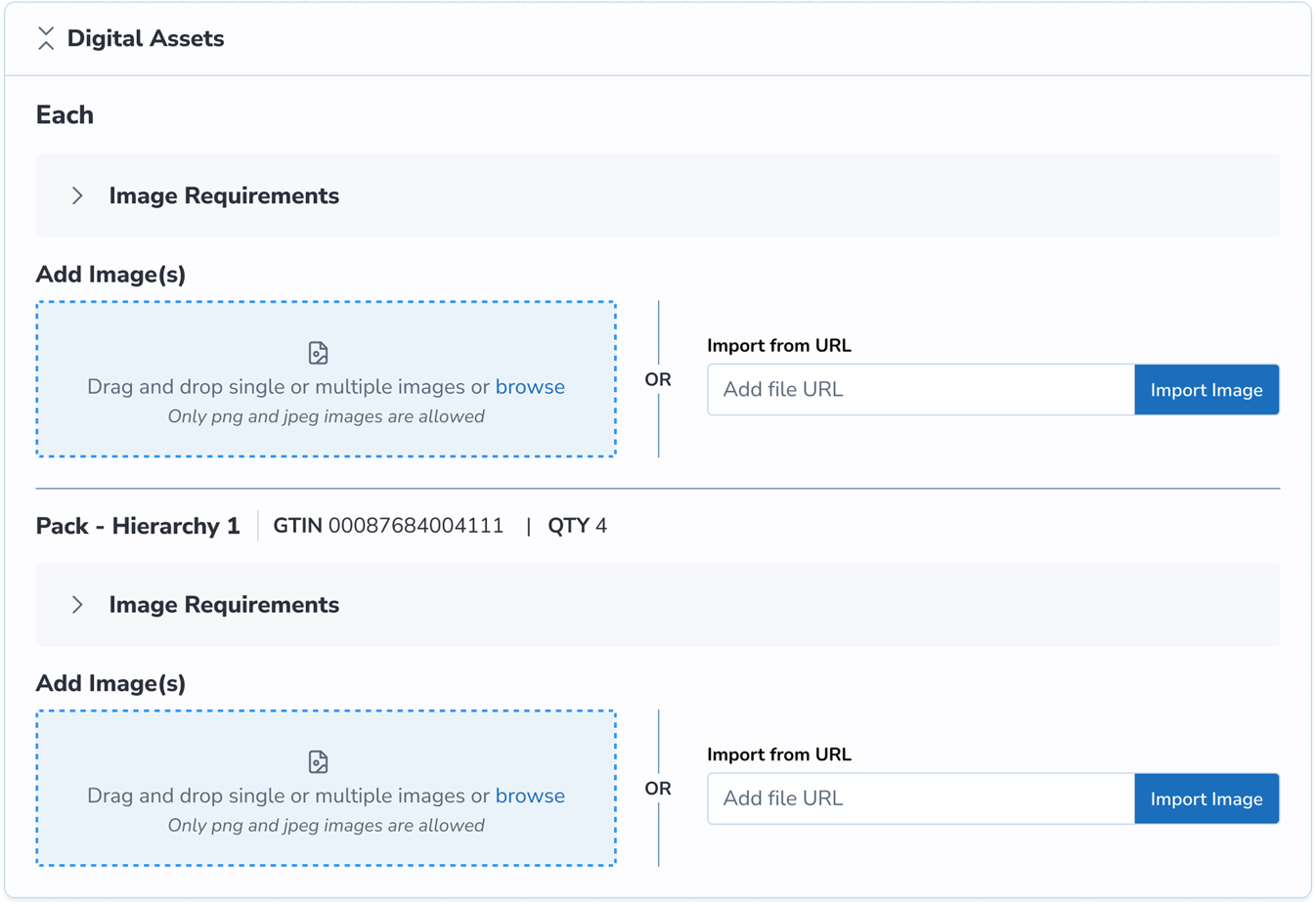
Image Asset Table
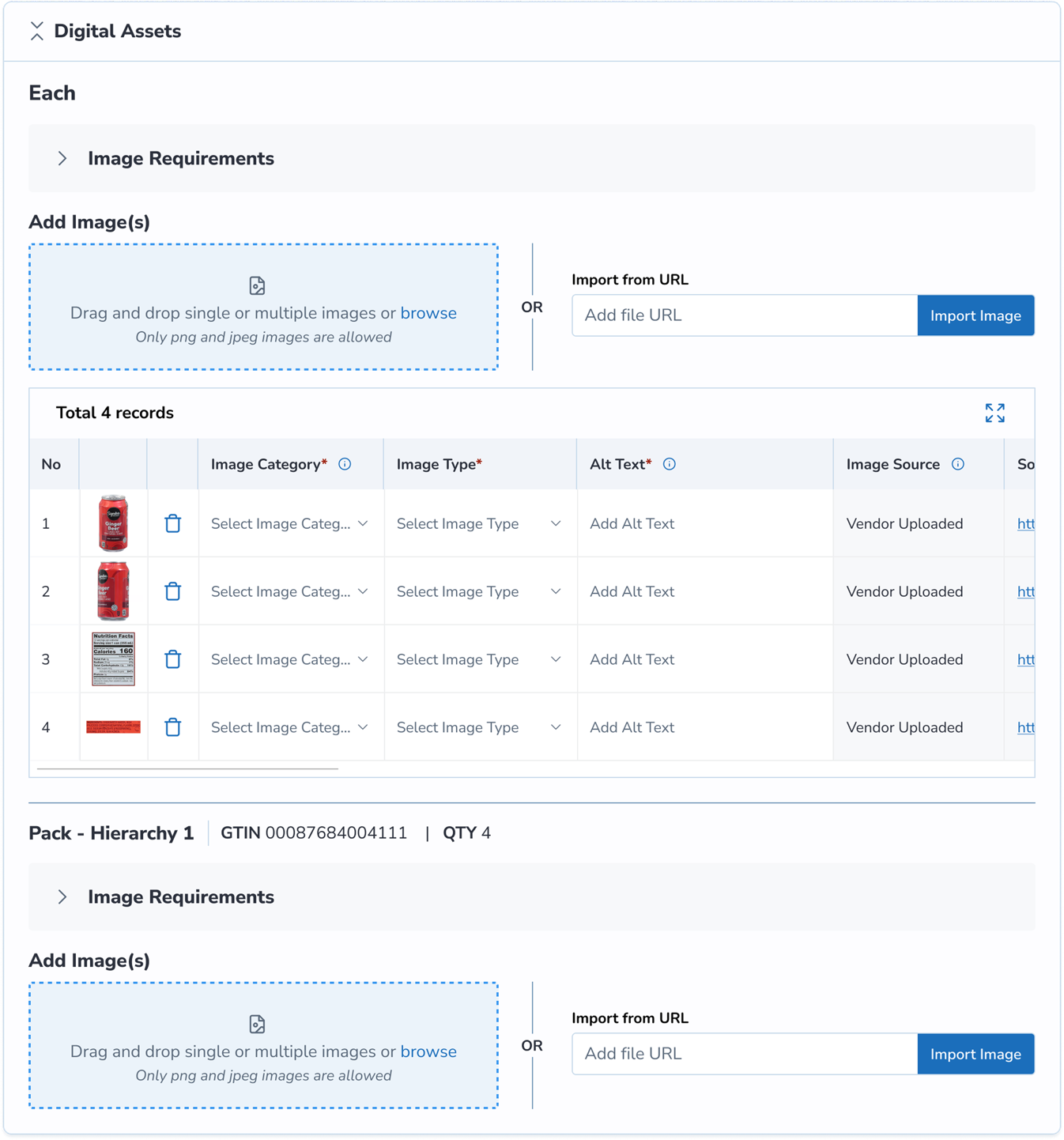
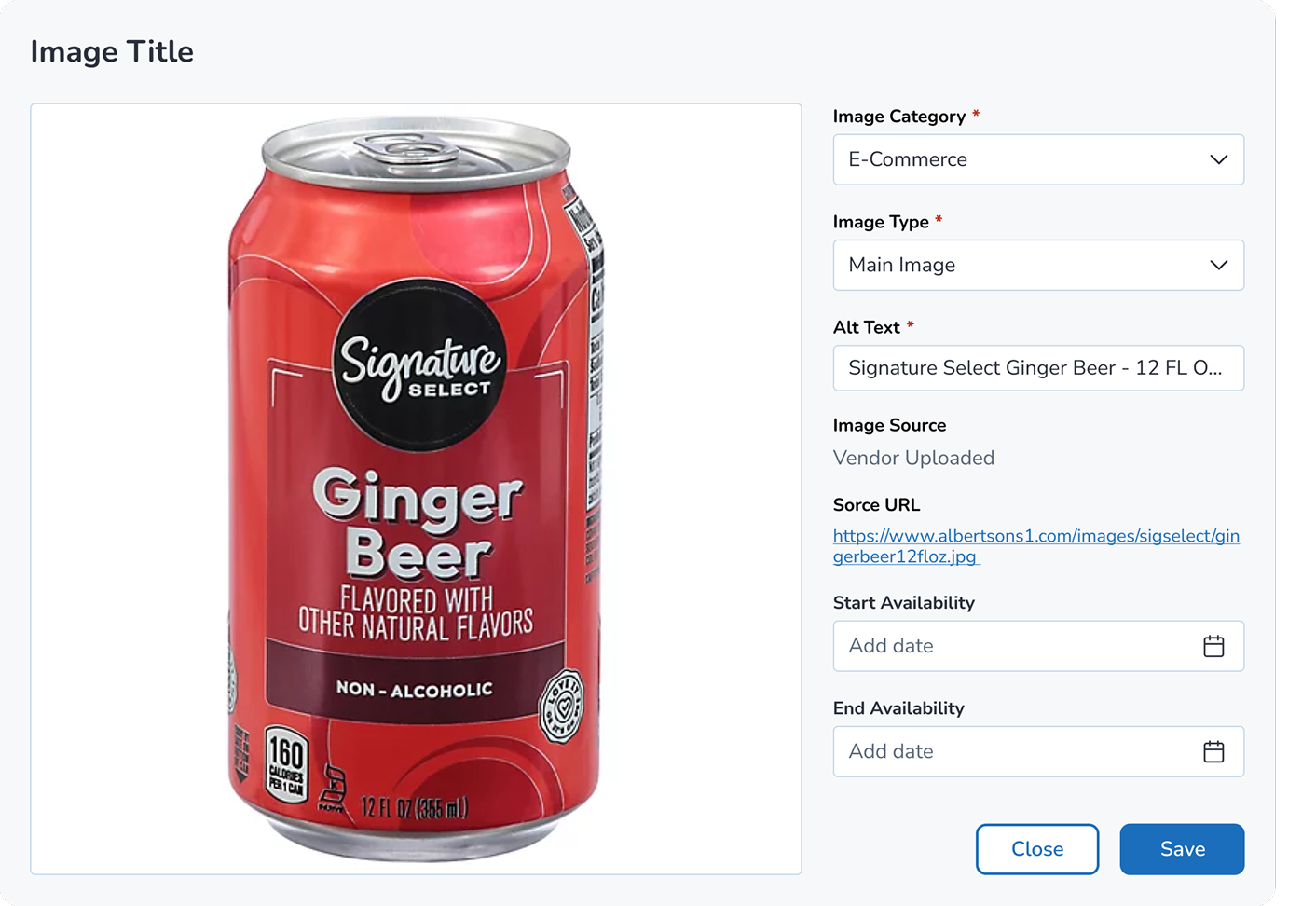
Image Viewer Modal to add detail or view enlarged image
Shared Platform
The image assets collected through the Merchandising Item portal were shared indirectly with the marketing team through an integrated backend gateway developed in partnership with the engineering team which led to a significant reduction in back-and-forth communication between vendors and the marketing team for assets.
AI Forward Design
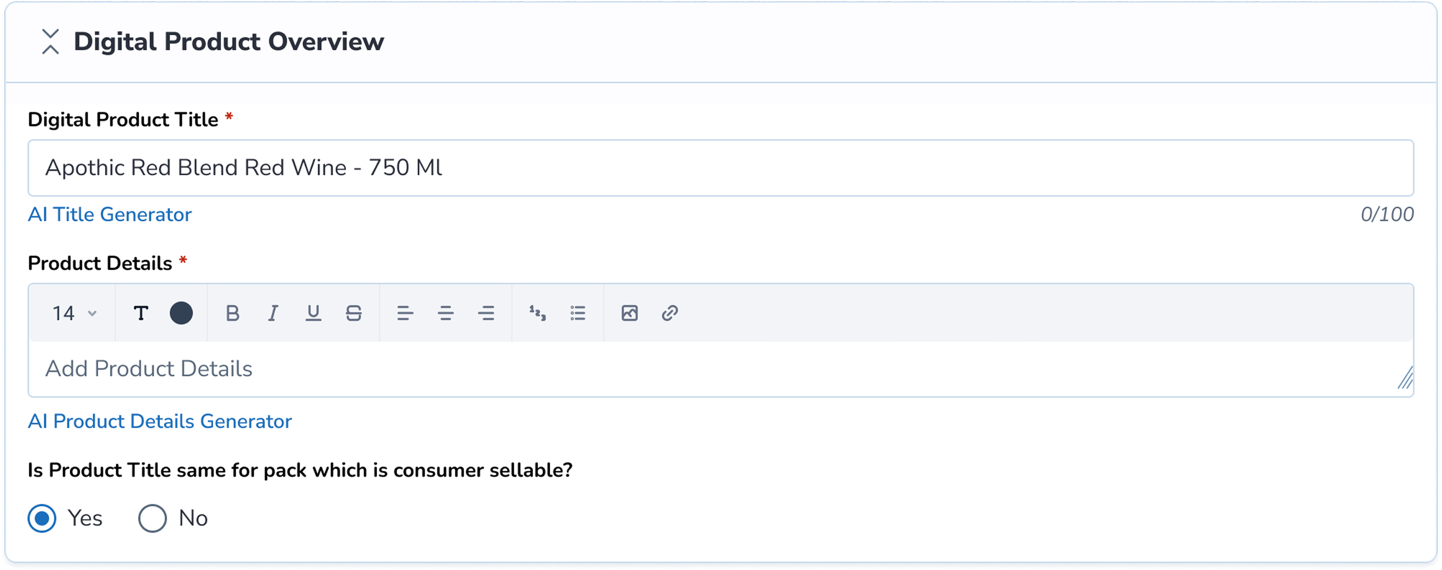
An exploration was made around AI product title and description generator with a rich text editor format but the team pushed back on this, stating that vendors and merchants relied heavily on manufacturer or internal proprietary product descriptions and did not trust LLM-generated descriptions.
AI Title & Description Generator
A rich text editor explored generating product titles and descriptions with AI, surfaced as a suggestion alongside manufacturer-provided copy.
Next Step
Extended redesign to similar flows
This design served a new business use case and reduced the visual load for enhanced data collection. This redesign initiative led us to explore similar flows that could benefit from cross-platform use across teams.